
Answers
FAQ
The questions that come up most often about a simpler, easier to use phone — answered plainly. If yours isn’t here, email us and we’ll answer it.
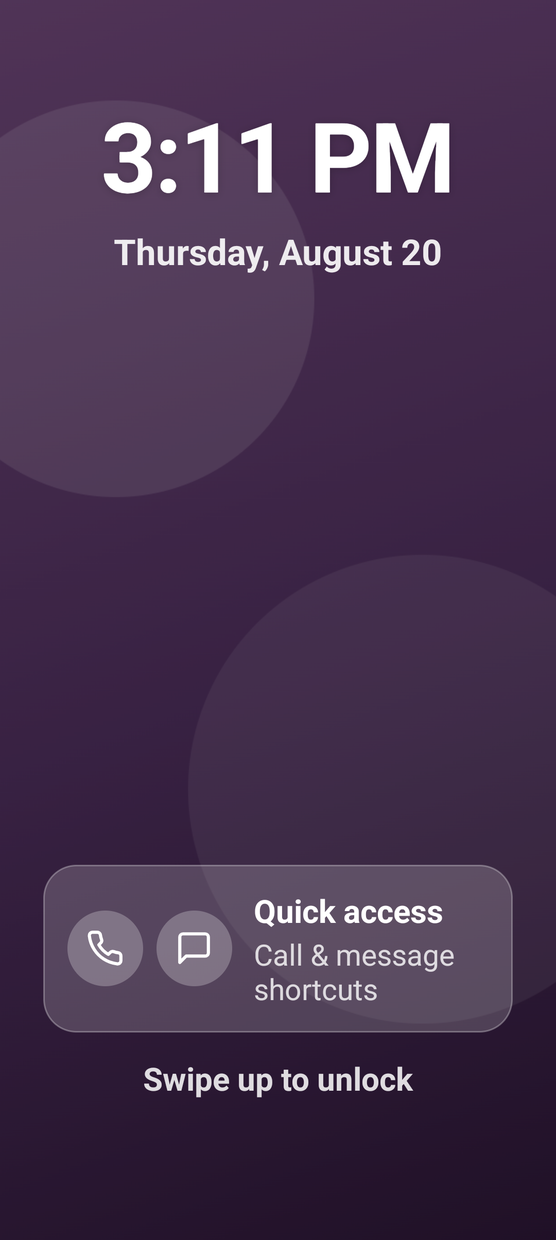
The lock screen. The time, the date, and two ways to reach someone.
Asked most
The ones that come up most often.
How does it stop scam calls?
Anyone in their contacts rings normally. Numbers not in their contacts are silenced — no ring, no buzz, no notification — but still appear in the recent-calls list so nothing is lost. Carrier scam blocking is also switched on before it ships.
Will they miss real calls from the doctor?
No. Silenced calls are never deleted. They appear in the recent-calls list marked “Silenced — not in your contacts”, so an appointment reminder or a pharmacy callback can be seen and returned.
Can it call 911?
Yes. The Phone app has a 911 button. Pressing it shows a confirmation screen, and confirming dials 911 — the same emergency services any phone reaches. The confirmation step prevents accidental calls to dispatchers.
Does it work with Verizon, AT&T or T-Mobile?
Yes. The ElderBerry Phone is unlocked and works on any US carrier, including Verizon, AT&T and T-Mobile, as well as prepaid networks such as Mint Mobile, Consumer Cellular, Visible, Tracfone and Google Fi. You supply the SIM.
Is there a monthly fee?
No, not from ElderBerry. You buy the phone once and nothing is charged after that. You will pay your own carrier for cell service, the same as with any unlocked phone.
Does it do text messages and photos?
Yes. Texting works normally, including sending and receiving photographs. Messages from people in their contacts arrive as usual with a normal notification.
Everything else
Twelve more questions
When can I buy one?
The ElderBerry Phone launches in late 2026. You can’t order one yet and there is nothing to pre-order — join the waitlist and we’ll email you once, when it’s available to buy.
What will the ElderBerry Phone cost?
The price hasn’t been announced. The ElderBerry Phone is a one-time purchase with free shipping in the United States and no monthly fee from us, and we’ll publish the figure before anyone is asked to pay. Cell service is separate. Most senior phones are sold with a monthly service plan attached; this one isn’t.
We’re not a phone company and we don’t sell plans, so nothing recurring is ever charged by ElderBerry. You pay us once for the hardware and you pay your carrier for service — two separate bills, and you control the second one entirely.
Join the waitlist and the price reaches you at the same time it reaches everyone else.
Is it a smartphone?
Yes. It runs on Android underneath, with a home screen of eight large labelled apps and Settings below them. A real touchscreen, a real camera and real text messages with photos — laid out so it is easy to live with.
Everything is labelled in plain words, set in high-contrast text, and sized to be tapped without aiming, and nothing on the screen is competing for attention: no feed, no autoplay, no badges counting up.
What apps are on it?
Phone, Messages, Camera & Photos, Clock, Weather, Maps, Notes and a web browser. Scroll down from the home screen and there’s Settings.
Each one is labelled in plain words and does a single obvious thing. Tap through them on the phone page to see what each is for.
Can they keep their existing phone number?
Yes. Moving an existing number to the ElderBerry Phone is the ordinary number transfer your carrier already handles. Nothing about this phone makes it harder than switching to any other handset.
Who sets it up?
Hardly anyone has to. The phone arrives with the software installed and scam protection already switched on. You insert a SIM card, contacts sync, and it’s ready. There is no account creation and no setup wizard.
Will bank verification codes still arrive?
Yes. One-time passcodes and verification texts are recognised and always delivered normally with a notification, so banking, pharmacy and patient-portal logins continue to work.
Can I see where they are or check on them?
No. There is no companion app, no location sharing and no monitoring of any kind. We don’t offer it, and the phone doesn’t collect the data that would make it possible.
This is a deliberate decision, not a missing feature. The phone is built so that connection happens by calling and texting rather than by being watched.
What if it isn’t right for them?
You have 30 days to send it back for a full refund.
Who founded ElderBerry Phone?
ElderBerry Phone was founded by Emmett Beadnall, who built it for his own grandparents. He wanted them to have a phone that was properly theirs — a real camera and the photographs to go with it, messages from the family, maps when they need them — and nothing else pulling at their attention.
That is still what it is: eight apps, and scam protection already switched on the day it arrives. The phone is sold direct, with no reseller in between, and questions sent to the support address are answered directly rather than by a ticket queue. More about who made this.
Does it work with hearing aids?
Yes — the phone is hearing aid compatible, and call audio can be turned up further than a standard handset allows.
Is this a senior phone?
That is the shelf it sits on, though it isn’t a label we’re fond of. It’s built for anyone who wants a phone that’s simple to use and hard to be scammed on — which tends to matter most to people who didn’t grow up with one in their hand. Nothing about it is stripped back or cut down. It’s a full smartphone with the confusing parts removed.
Waitlist
Be first to know when it ships
The ElderBerry Phone launches in late 2026. There is nothing to buy or reserve. Join the waitlist and you’ll hear the moment it’s available to order — before anyone else.
- There is nothing to buy yet — this is a list, not an order
- No card, no deposit, no obligation
- One email when it’s ready — that’s it
- Where you are decides where we ship first
- Unsubscribe any time
We ask for a full address because the first production run is small and we have to decide where it goes. Nothing is sold, nothing is shared, and you can ask us to delete your details at any time.
We couldn’t add you just now.
You are not on the list yet.
Several signups have come from this internet connection in the last hour, so this one was held back. Nothing is wrong with your details.
Try again in an hour, or email support@elderberryphone.com and we’ll add you by hand today.
You’re on the list.
Thank you — we’ve got your details safely.
You’ll hear from us once: one email on the day the ElderBerry Phone is available to buy. Nothing before that, and nothing after unless you ask for it.
Nothing was ordered and nothing was charged. If you’d like your details removed, write to support@elderberryphone.com and they’re gone.